imoninja tools

Every keystroke makes a sound and a sparkle.

KeySparkle plays a satisfying keyboard sound and fires a little visual effect at your text cursor every time you type — in your editor, your browser, your chat app. Type fast and build a combo.

  • Works in every app
  • Fully offline
  • No account
  • No ads
Get KeySparkle from the Microsoft Store
$0.99 one-time · all updates included
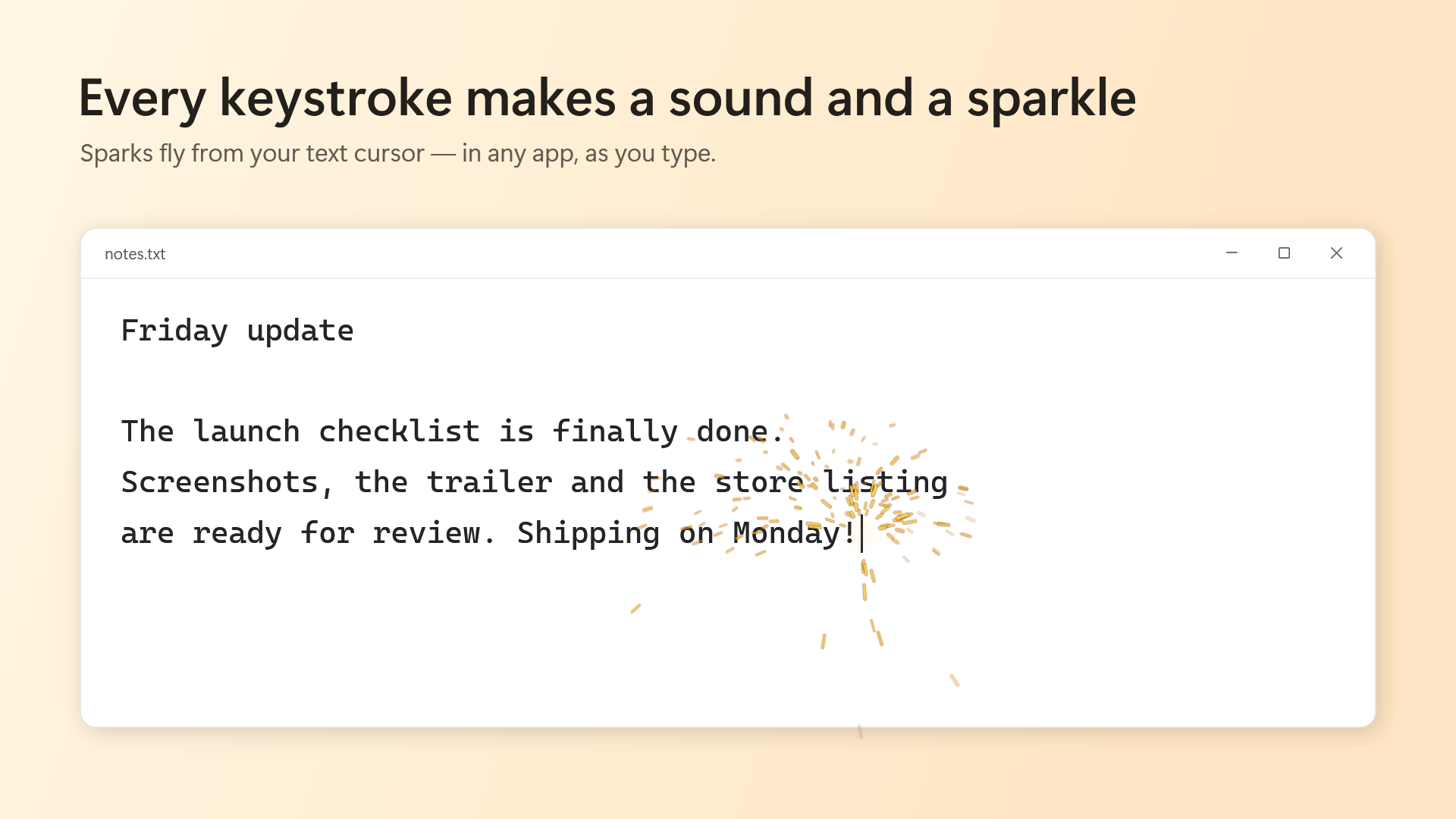
Sparks flying from the text cursor while typing in a text editor on Windows

Make typing feel good

A little reward for every key — without getting in the way of your work.

⌨️

Satisfying sounds

Six built-in keyboard sounds, from a light click to a deep thock. Or use your own wav, mp3 or ogg files, or a Mechvibes-format sound pack.

Something to watch

Sparks, confetti, ripples or ink appear right at your text cursor. Hit Enter for a big burst at the end of every line.

🎮

Stays out of the way

Pauses by itself when a game or video goes full screen, or in apps you choose. Hotkeys turn it off in a second.

Pick your style

Quiet and subtle for long writing sessions, or big and bold for streaming.

Four effects, your colors

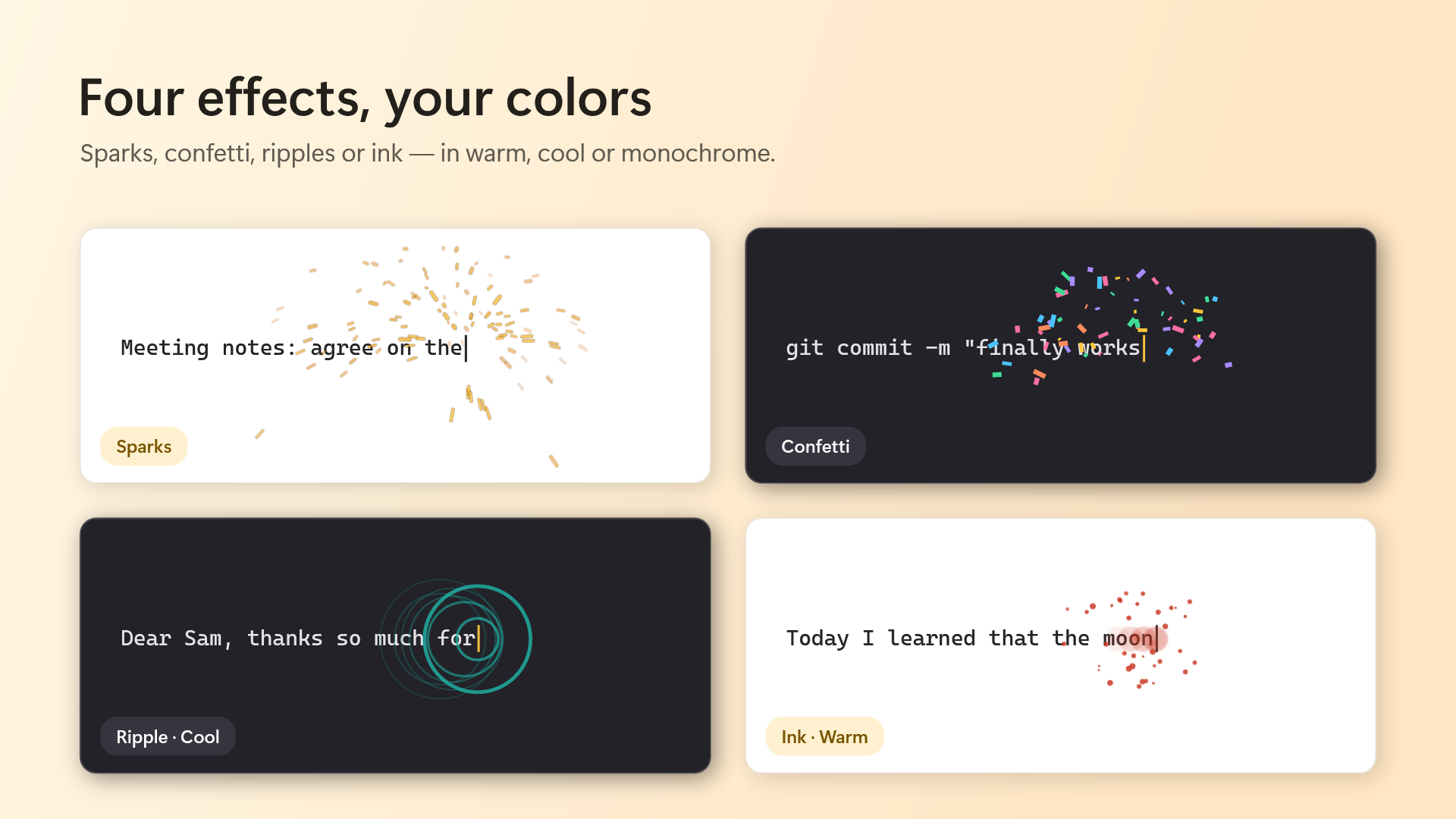
Choose sparks, confetti, ripples or ink, then pick a color preset and how strong the effects should be.

  • Warm, cool and monochrome color presets
  • Subtle, normal or bold strength
  • Readable on light and dark backgrounds
The four effects: sparks, confetti, ripple and ink

Type fast, build a combo

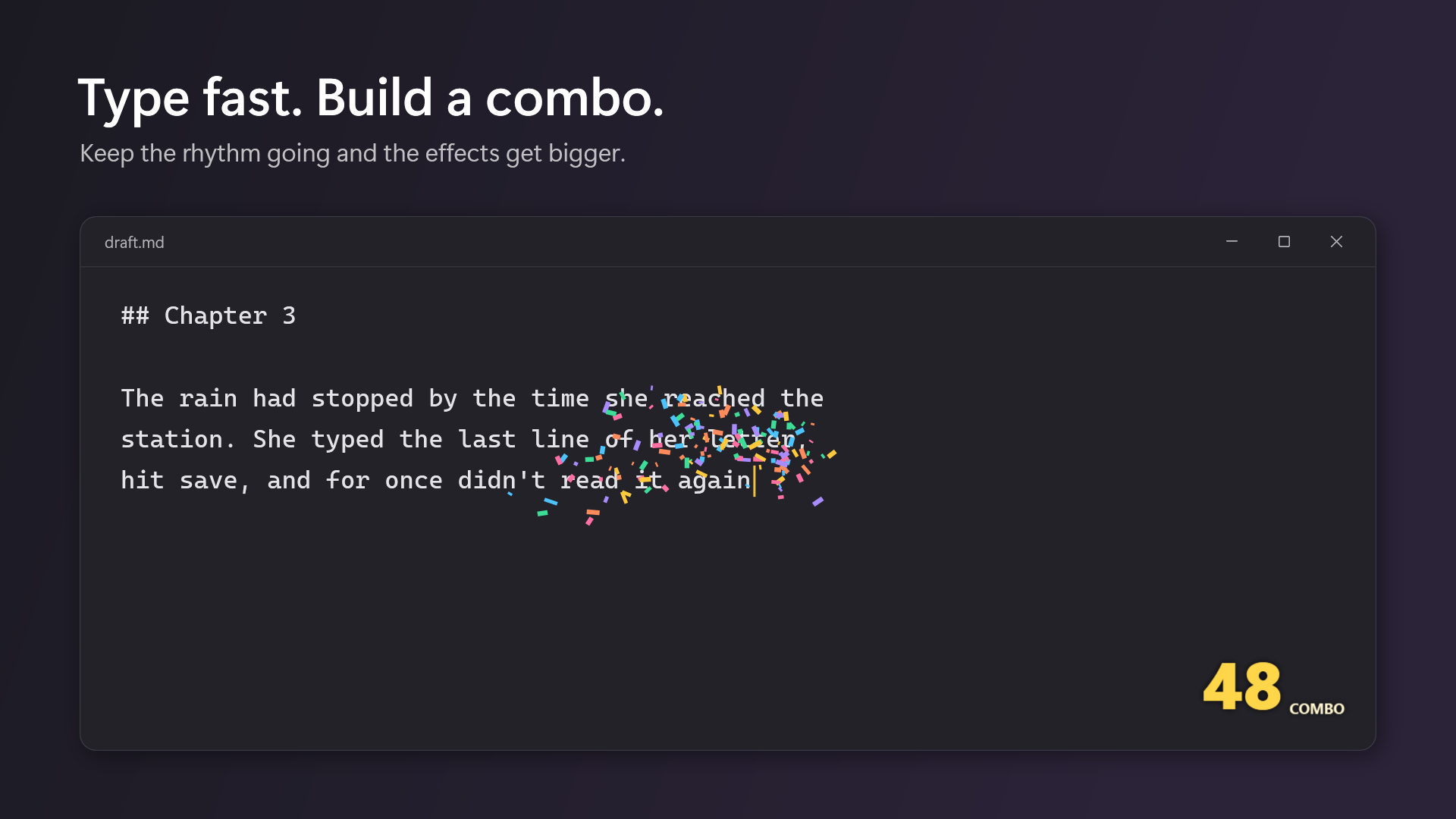
Keep the rhythm going and a combo counter appears in the corner. The effects grow with your combo — up to a point, so you can still see what you type.

  • Backspace keeps your combo without adding to it
  • Choose which corner the counter sits in, or hide it
  • Optional effect shake on Enter
Confetti and a 48 combo counter while typing in a dark editor

Your sounds, your rules

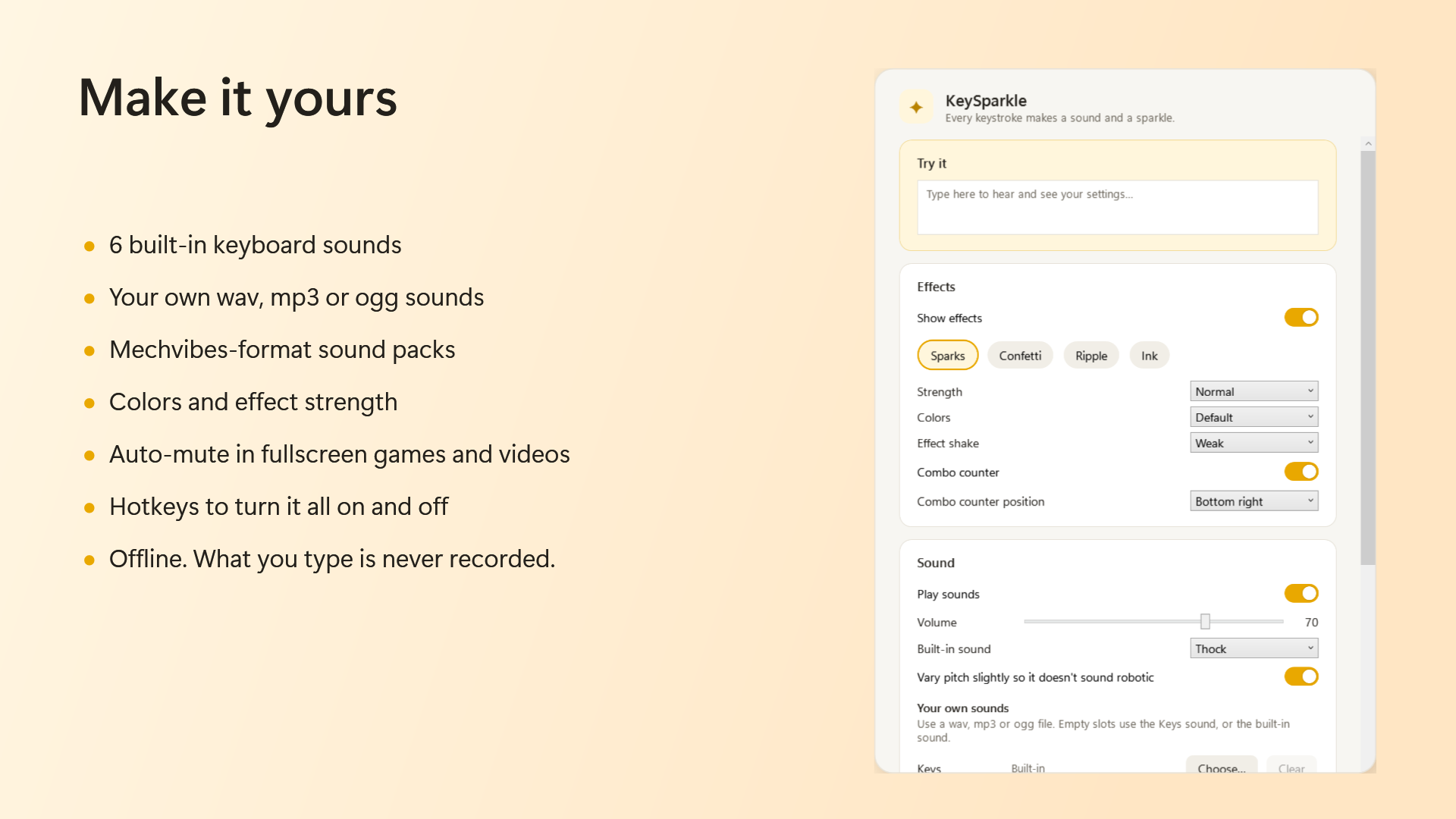
Everything is on one settings page, with a box at the top to try your changes right away.

  • Give Enter, Backspace and Space their own sounds
  • Works with Mechvibes-format sound packs (config.json + audio files)
  • Starts with Windows if you want it to — off by default
KeySparkle settings: effects, colors, strength and sounds

What you type stays yours

KeySparkle only needs to know that a key was pressed, not what you typed.

🔒

Nothing is recorded

Key presses are used for the sound and the effect, then forgotten. No text, no history, no typing statistics.

📴

No network at all

The app never connects to the internet. There is no account and no server.

🔑

Careful with passwords

In password fields the effect moves to the bottom of the screen, so it never hints at how long your password is.

Read the full privacy policy.

Honest pricing

Less than a coffee. Pay once, keep it.

$0.99 one-time
  • All features included — no upsells inside
  • All future updates free
  • No account, no ads, no telemetry
  • Uses almost no CPU while you're not typing
Get it from the Microsoft Store

FAQ

Is this a keylogger?

No. KeySparkle listens for key presses only to play a sound and show an effect. It doesn't turn them into text, doesn't save anything you type and never sends anything over the network. See the privacy policy.

Will it get in the way when I play games?

It pauses automatically while a game or video is full screen and comes back when you leave. You can also list apps it should stay quiet in, or turn it off with a hotkey.

Can I use my own sounds?

Yes. Pick a wav, mp3 or ogg file for regular keys, Enter, Backspace and Space, or load a Mechvibes-format sound pack (a folder or zip with config.json and audio files) to give every key its own sound.

Will it slow down my PC?

It uses almost no CPU while you're not typing. Effects only run while they're on screen, and sounds are loaded once into memory.

What Windows versions are supported?

Windows 10 (version 1809 or later) and Windows 11, x64.

Is it available in Japanese?

The app is in English for now.

Make every keystroke count.

Sounds and sparkles for your keyboard, for less than a dollar.